macOS 27 shipped the feature I’d been waiting years for: a semantic index of my life, built on my own machine, covering mail and messages and notes and calendar, with a Siri able to reason across it instead of pattern-matching one app at a time. Personal context, on-device, nothing uploaded. Exactly the right architecture, and I was genuinely excited about it.
Then I tried to use it. The index is real and it’s sitting on my SSD, and nothing outside Apple can get at it. No CLI, no SDK, no API. Not even an entitlement to apply for and be refused. The door isn’t locked so much as it was never cut into the wall.
The things I actually want to ask look like this:
- When is my next dentist appointment?
- What’s the lock code for the HOA clubhouse?
- What’s my daughter’s social security number?
- Respond to that last email.
- Find a gap in my schedule so I can make time for a friend.
- Make sure that late-night work thing is on the family calendar.
Every one of those runs on something already sitting on this machine. The dentist is a calendar event. The lock code is in a text somebody sent me two summers ago, or an HOA email I archived without reading. The SSN is in a note I typed once and will never again find by scrolling. The bottom three aren’t lookups at all, but they can’t happen without the same context underneath them.
The social security number is the one that settles the argument. That is not a query I will ever type into a box that ships it to a datacenter, at any latency, under any privacy policy, from any vendor including the one I like. Neither is the door code, honestly. The most useful questions to ask about your own life are also the ones you’d least like to leak, which is why the index that answers them belongs on the device, and why it stings that Apple built it there and left no way in. They got the hard half right, and then kept it.
So I built my own way in.
What it is
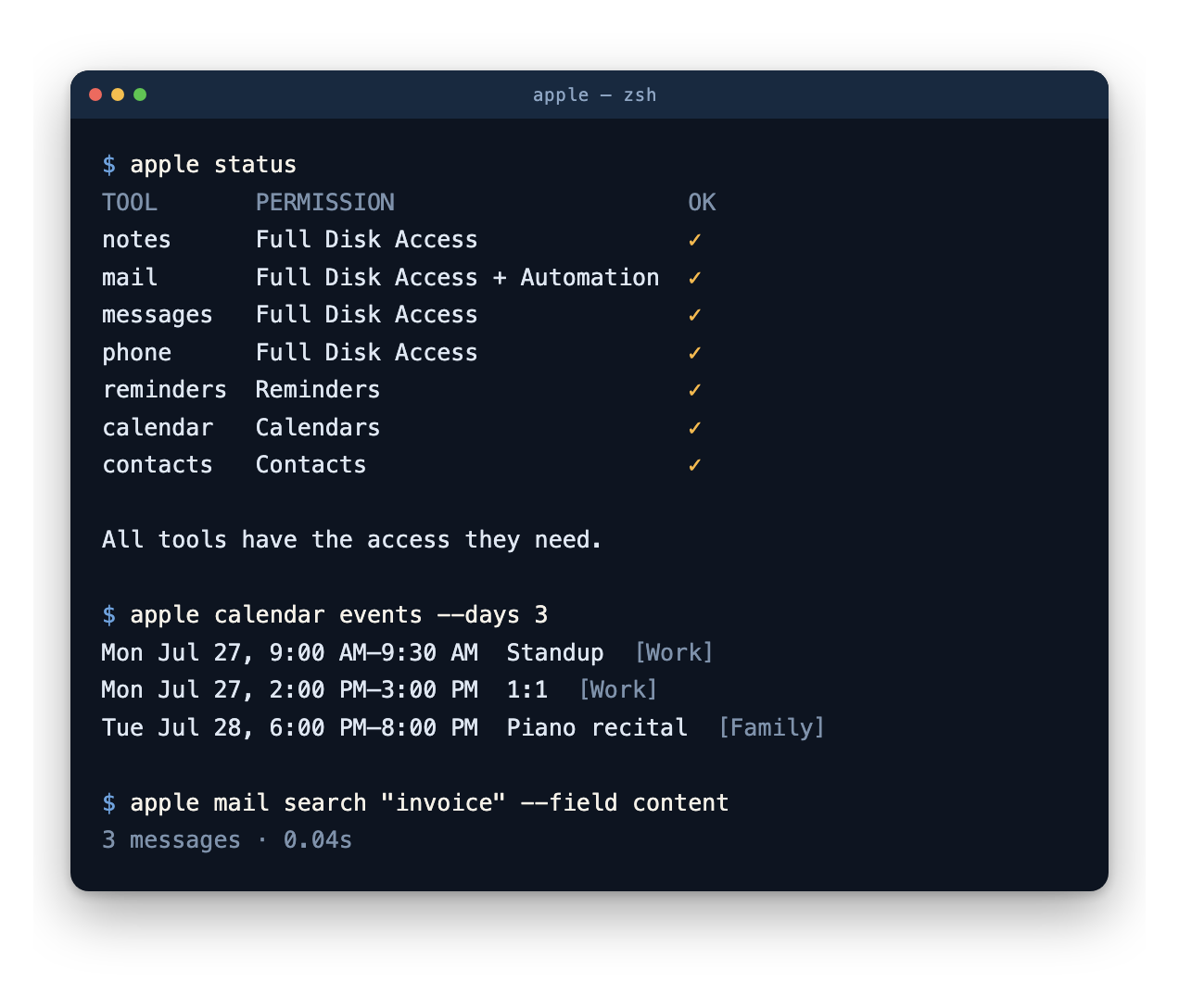
apple-tools is command-line access to seven Apple apps (Notes, Mail, Messages, Phone, Reminders, Calendar, Contacts) behind one apple dispatcher. It reads the same SQLite stores and EventKit databases the apps themselves use. Nothing goes over the network, there are no API keys, and there’s no service in the middle. Everything stays on the machine.
| Tool | What it does |
|---|---|
notes |
Search, list folders, export to Markdown, append without destroying attachments |
mail |
Search by subject, sender, or full body text; export; attachments; draft |
messages |
Search and export iMessage/SMS/RCS history, conversations, attachments |
phone |
Recent calls with names resolved, missed/unknown filters, talk-time stats |
reminders |
Full CRUD: lists, priorities, recurrence, natural-language dates |
calendar |
List, search, create, edit, delete; recurring-event spans |
contacts |
Search by name, company, email, or phone; create, edit, export vCard |
Every tool takes --json. apple status reports permission state across all seven and never prompts.
It’s fast because it doesn’t ask the app
The usual way to reach these apps from a script is AppleScript, and it’s slow by orders of magnitude. Same query, same 41,000-message store: 154 seconds through AppleScript, 0.04 seconds reading Mail’s own index. Full-text search across every message body takes 8.7s worst case, and the AppleScript path could not finish it at all. A whole-store search over 103,250 iMessages takes about 0.1s. It all works with the apps closed.
Reading the stores directly also avoids a failure I hit repeatedly: a whole-mailbox AppleScript query can wedge Mail’s scripting interface for every client on the machine until you restart Mail.
What it’s for
The point is the agent on top, so the repo ships four Claude skills: apple-tools (the surface and its traps), daily-brief, meeting-prep, and inbox-triage. Two are read-only by design, and the one that writes proposes first and creates only on approval.
The whole suite leans that way. It’s read-heavy on purpose and treats writes as the dangerous case, because a contact write syncs everywhere with no undo. There’s no send, only a draft you paste into and review. dial hands a tel: URL to Phone.app and deliberately can’t skip the confirmation. Anything you can’t take back, you do yourself.
The honest caveat
None of this is API. There’s no sanctioned read surface here, so the choice was between an automation interface too slow to use and reading application files Apple never promised would look the same next month. I picked the second one. It’s faster and it’s more correct, and it is still a workaround, resting on file formats and an undocumented SPI that could change in a point release without owing me any warning.
So take those numbers as measurements rather than guarantees. Everything in the repo is pinned to a specific OS build for that reason, and the maintenance plan is to re-verify rather than assume. What I’d actually want, and would delete half this repo for, is a documented, permissioned read API over on-device personal context, gated behind the same TCC prompts these tools already respect. The privacy model Apple built is the right one. It’s the access model that stops one app short.
If you want the archaeology, it’s all written up in the repo’s docs/: the 4% of a message store that a naive SELECT text silently drops, why a scripted note edit destroys attachments on 45% of a real library, why a permission prompt lands on your terminal instead of the tool.
Try it
brew install danielhopkins/formulae/apple-tools
Run each tool once from your terminal to approve its permission prompt, since an agent can’t click through those dialogs. Then apple status to confirm.
Two weeks old, mostly written with Claude Code. The thing I wanted was never impressive: I ask when my next dentist appointment is, something answers, and none of it leaves the machine.